Loading insights…
Posts tagged Cognitive Ease
Articles and insights about Cognitive Ease.
21 posts
Aurora Control
battery-system
Your Mac boots slow because of these login items
Every app you install can quietly add itself to your startup. Nobody ever removes them. Here is what actually runs at login, why it slows your Mac down, and how to find the ones worth cutting.
Nicolás
5 min
20
Aurora Control
battery-system
What's draining your battery in the background
You unplugged at 100%. Two hours later you are at 50% and you barely touched the keyboard. Something woke up and stayed awake. Here is how to find it.
Nicolás
5 min
21
Aurora Control
battery-system
Is your MacBook battery actually dying? Read cycles and health
Your MacBook seems to run out of charge faster than it used to — but is the battery actually worn, or was it just a heavy week? The hardware already knows. Here is how to read the answer.
Nicolás
5 min
18
Aurora Control
battery-system
Are your Mac's defenses actually on? FileVault, SIP, XProtect, Secure Enclave
Most Mac users assume FileVault, SIP, XProtect, and the Secure Enclave are working. Checking them means hunting across four different places. Here is how to confirm in one glance.
Nicolás
5 min
15
Argus Capture
naming-and-file-organization
The Hidden Cost of macOS's Default Screenshot Filenames (And a 30-Second Fix)
That "Screenshot 2026-06-14 at 14.32.15.png" filename seems harmless. Over hundreds of files it becomes a real tax on your time — and one naming template fixes it permanently.
Nicolás
5 min
17
Argus Capture
naming-and-file-organization
Never Rename a Screenshot Again: File Naming Templates for Developers Who Ship to Multiple Stores
Six tokens. One pattern. Every screenshot named correctly the moment it lands on disk — with the app, date, size, and target store already in the filename.
Nicolás
5 min
17
Aurora Control
performance
The background app quietly eating your CPU
Your laptop is warm and the battery is draining fast, but you are not doing anything. Here is what is actually happening in the background, and how to find the process responsible.
Nicolás
5 min
82
Argus Capture
device-frames-and-backgrounds
The Gradient That Makes Your Screenshot Look Like a Product Launch Asset (Without Photoshop)
You do not need a design tool to make a screenshot look like it belongs on a product page. The right background gradient, applied at capture time, does most of the work in one click.
Nicolás
5 min
94
Aurora Control
performance
Memory pressure vs the "90% RAM used" panic
That "90% memory used" number that made you order more RAM? It is almost certainly fine. Here is the metric that actually matters — and how to read it in under a minute.
Nicolás
5 min
1379
Argus Capture
device-frames-and-backgrounds
Stop Opening Figma Just to Add a Device Frame to Your Screenshot
Adding a device frame to a screenshot does not have to mean a detour to Figma. Here is how to keep the whole thing inside your capture workflow on macOS.
Nicolás
5 min
1630
Agata Stack
environment-profiles
One Click to Switch Between dev, staging, and prod Without Killing Your Debug Session
Context-switching between dev, staging, and production environments is slow and fragile. Environment profiles in Agata Stack change the whole thing with one click — and the API means your scripts can do it too.
Nicolás
5 min
1405
Aurora Control
performance
Is your Mac throttling? Catch it before it slows you down
Your Mac slows to a crawl mid-task, then quietly recovers. It is not random — it is thermal throttling. Here is what it is, how to spot it yourself, and how to catch it before it bites.
Nicolás
5 min
1151
Aurora Control
performance
Your Mac is hot and loud and Activity Monitor just shrugs
Your fans are screaming, the palmrest is warm, and Activity Monitor shows a wall of numbers — but nothing obviously wrong. Here is what is actually happening, how to read it, and why thermal throttling is doing exactly what it should.
Nicolás
5 min
1825
Argus Capture
video-recording-profiles
One App, 12 Recording Profiles: Stop Reconfiguring Your Screen Recorder Before Every Take
Every recording context needs different settings — codec, resolution, audio, overlays. Named profiles encode those decisions once so you never touch them again before a take.
Nicolás
5 min
2042
Argus Capture
video-recording-profiles
The Right Codec for Every Job: H.264 vs HEVC vs ProRes in a Screen Recorder
Four codecs, four very different trade-offs. Here is how H.264, HEVC, ProRes 422, and ProRes 4444 behave in a screen recorder — and which one to reach for depending on what you are making.
Nicolás
5 min
2083
Argus Capture
video-recording-profiles
Why Your Bug Report Videos Are Too Long (And How a 60-Second Auto-Stop Fixes It)
Bug report recordings drag on because nothing forces them to stop. A 60-second auto-stop built into the recording profile changes that — and makes every report faster to watch.
Nicolás
5 min
2067
Aurora Control
intelligence
Why I built a Mac tool that refuses to auto-delete anything
Most Mac utilities can act on your machine without asking. Aurora Control was designed to never do that — and this is the story of why.
Nicolás
5 min
2108
Agata Stack
terminal-tab-hell
My Service Crashed at 3am and Nobody Noticed — Here's What Changed
A crashed service that nobody catches until a user complains is a solved problem. Here is the crash-detection and auto-restart setup that ended the 3am surprises.
Nicolás
5 min
2025
Aurora Control
intelligence
What's normal for your Mac? Profiles that change the rules
Your Mac tool is crying wolf again. The problem isn't your Mac — it's that the tool has no idea how you use it. Here's how Aurora Control learns what normal actually looks like for you.
Nicolás
5 min
2092
Agata Stack
terminal-tab-hell
Why I Stopped Using 14 Terminal Tabs to Manage My Dev Stack
Fourteen terminal tabs, colour-coded window groups, and I still could not tell at a glance which service had quietly died. Here is what changed.
Nicolás
5 min
3509
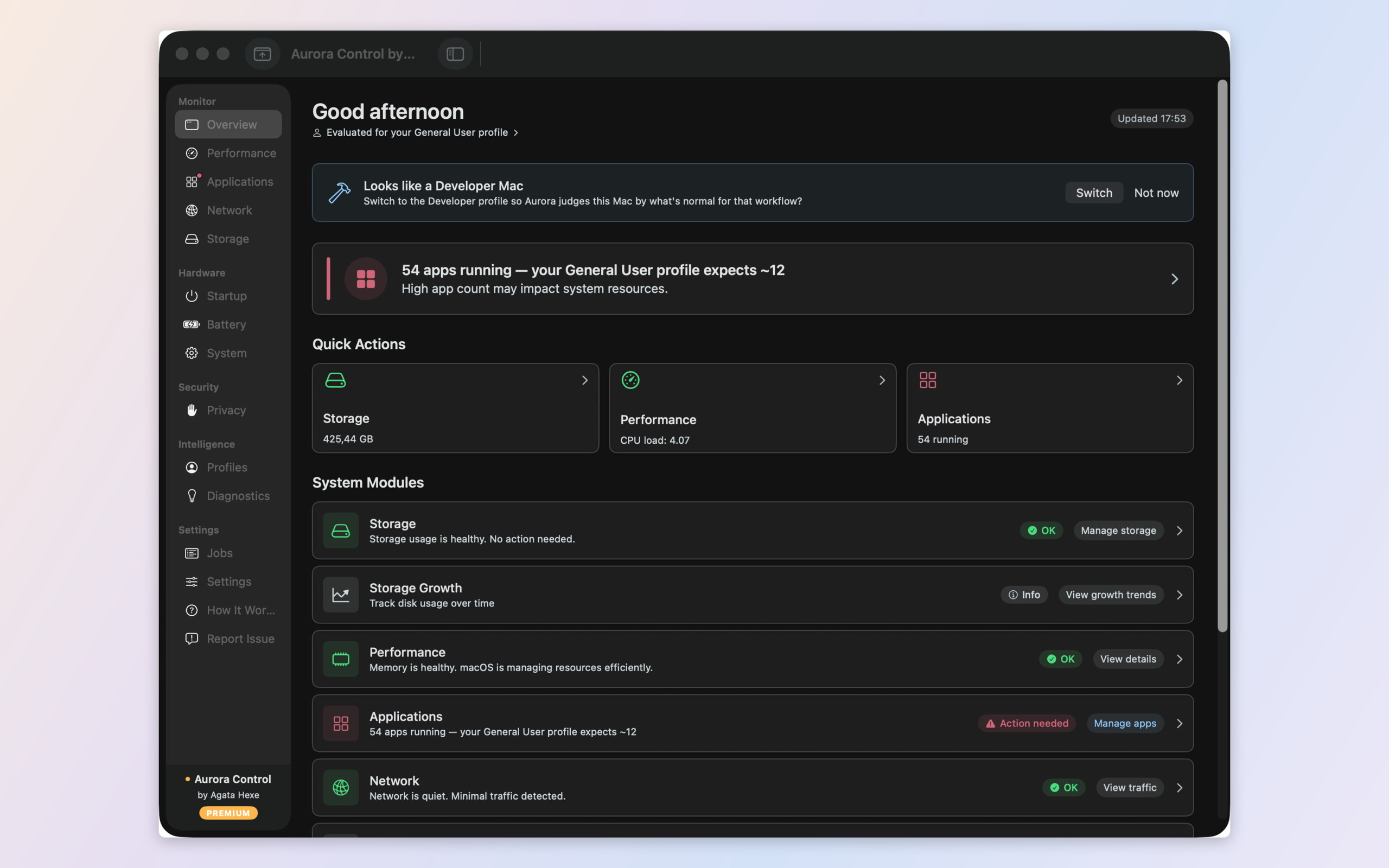
Aurora Control
intelligence
Read your Mac's numbers — what they actually mean
Every Mac tool measures. Few of them explain. Here is the difference between a screen full of numbers and actually knowing what is wrong with your Mac — and what to do.
Nicolás
5 min
2814